Learn to create
images
with AI.
Real prompts. Real outputs. Step-by-step tutorials from creators who actually know what they're doing. No jargon, no gatekeeping.
100% free to start · No credit card required
What will you create?
AI can do a lot more than chat. Discover tutorials across every creative category — each one packed with real prompts and real results.
Create Images
Midjourney, DALL-E, Stable Diffusion
"a castle floating in the clouds, Studio Ghibli style"
Make Videos
Runway, Sora, Pika
"slow motion ocean wave crashing on rocks at sunset"
Write Code
Claude, GPT-4, Copilot
"build a real-time chat app with WebSockets"
Make Music
Suno, Udio, MusicGen
"upbeat acoustic indie folk, summer road trip vibes"
Build Agents
LangChain, CrewAI, n8n
"an agent that researches competitors daily"
Design
Canva AI, Figma AI, Adobe Firefly
"minimalist logo for a coffee shop called Drip"
Stupid simple
No PhD required. Seriously. Three steps to going from zero to creating with AI.
See the prompt
Every tutorial shows you the exact prompt that was used — word for word. No paraphrasing, no "something like this". The real thing.
See what works and what doesn't
Copy and try it
One click to copy. Paste it into your tool and see the result instantly. Every prompt is tested and ready to use.
Works with any AI tool
Make it yours
Tweak the prompt, experiment, and create something entirely new. Each tutorial explains what each part does so you can remix freely.
Learn the principles, not just the recipe
See it in action
Here's what a tutorial looks like. Every prompt, every output, every detail. No fluff — just the stuff that actually helps you learn.
Why this works:
"volumetric fog" adds atmospheric depth
"shot on 35mm" triggers filmic grain and color
"--ar 16:9 --v 6" sets cinematic aspect ratio
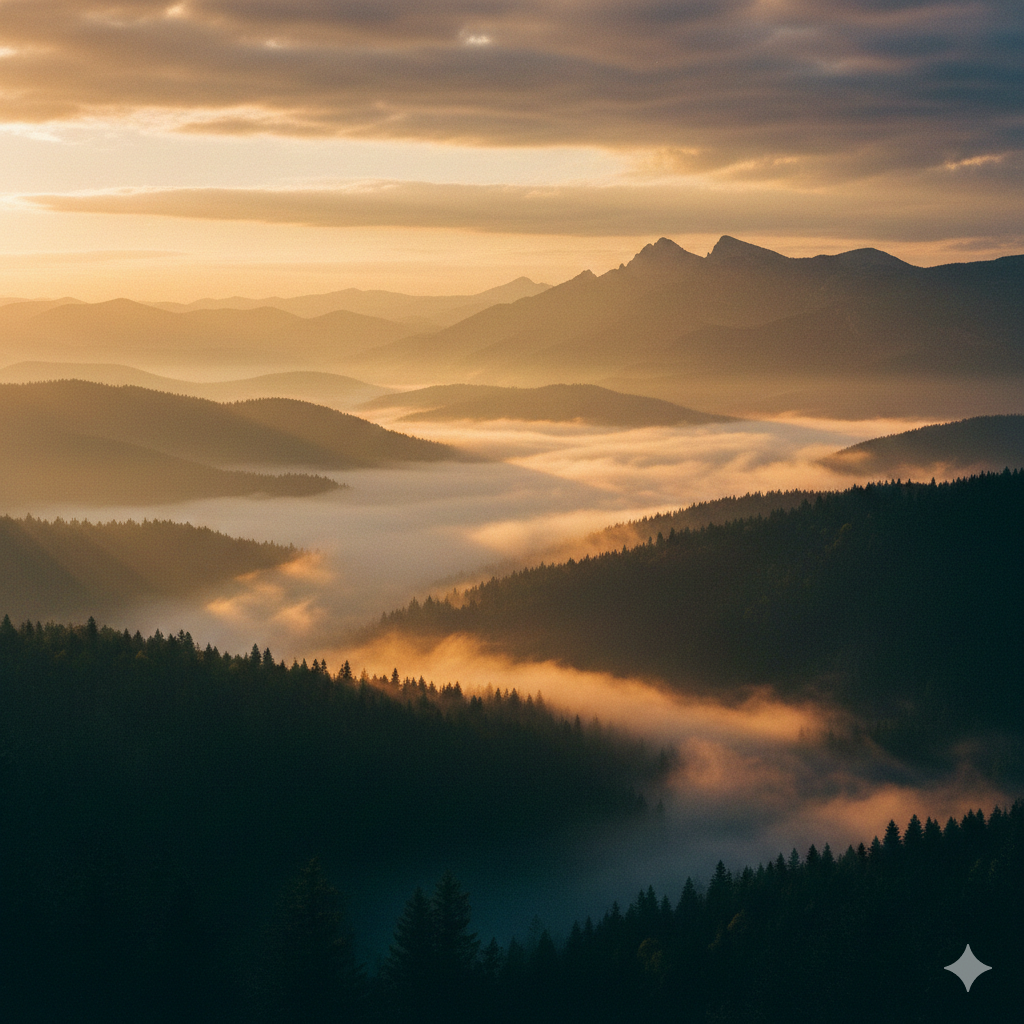
Resolution
2048 × 1152
Time
~30s
Attempts
1st try
Built for curious people
You don't need to be technical. If you can type a sentence, you can use AI. Here's who's already learning.
Complete beginners
Never used AI before? Perfect. Our beginner tutorials start from zero and walk you through every click. You'll go from "I don't get it" to "I made this" in minutes.
- No technical knowledge needed
- Step-by-step with screenshots
- Start with beginner-friendly tools
Creators & artists
Generate images, videos, and music for your creative projects. See exactly what prompts produce the best results — and learn to write your own.
- Image, video, and music generation
- Style control and prompt techniques
- Real examples from real creators
Professionals
Automate repetitive work, write better emails, analyze data, and 10x your productivity with AI workflows. Save hours every week.
- Email, docs, and presentation generation
- Data analysis and reporting
- Workflow automation recipes
Developers
Level up your coding with AI pair programming. Build full-stack apps, debug faster, and ship more. From CLI tools to production APIs.
- AI-assisted coding techniques
- Full project walkthroughs
- Debug and refactor with AI
The prompt is the skill
The difference between a mediocre AI output and a mind-blowing one? The prompt. Here's what good prompting looks like.
Vague prompt
"make a picture of a dog"
Pro prompt
"golden retriever puppy playing in autumn leaves, soft bokeh background, warm afternoon light, shot on Canon 85mm f/1.4"
Specificity is everything.
Code prompt technique
# Context
"I'm building a SvelteKit app with Drizzle ORM."
# Task
"Create a server action that handles file uploads to S3 with progress tracking."
# Constraints
"Max 10MB, images only, return the CDN URL."
Structure gets better results.
Iteration technique
Build up layer by layer.
Ready to unlock
your AI superpowers?
Join thousands of people learning to use AI every day. It's free to start.
No credit card · No spam · Just learning